Whether you want to reach potential customers, engage more deeply with fans, or grow your social media influence, an Instagram business profile is a must. With over 1 billion active users worldwide, Instagram offers enormous potential for businesses of all sizes to acquire new customers.
The Instagram app offers various features, including the ability to send and receive direct messages.
Business accounts offer numerous benefits, including advanced features for managing customer interactions and access to detailed statistics and tools specifically designed for businesses.
However, it can be difficult and time-consuming to manage interactions with people when trying to keep up with followers' comments and messages – this is where the Instagram business chat feature of Instagram Direct Messages can make a real difference.
In combination with a business messenger solution like ChatWerk you have all the tools you need to drive growth through increased customer interaction, which translates into higher profits in no time.

Instagram DM is a feature that allows all Instagram users to send private messages. It is well-suited for informal communication and building customer relationships to strengthen loyalty. However, DMs lack the advanced features necessary for efficiently managing customer support inquiries in a business context.
Instagram Business Chat, on the other hand, offers features specifically developed for businesses, including automated replies, quick replies, and message tags that increase customer satisfaction and efficiency. With an Instagram business account, companies also benefit from advanced statistics, advertising options, and integration with third-party messenger API solutions. This optimizes customer communication while enabling real-time insights and performance analytics via a connection to a Facebook page, significantly improving the customer experience.
Definition of Instagram Direct Messages
Instagram Direct Messages (DMs) are private messages exchanged between Instagram users. The direct messaging feature allows text messages, photos, videos, GIFs, emojis, and stickers to be shared with another Instagram user or a group of users. This private communication layer allows users to interact in a confidential environment. The DM feature is only visible to the people involved, making it ideal for both personal and business conversations.
Features and use cases of Instagram Direct Messages
Instagram's direct messaging feature offers a variety of ways to simplify and enrich communication and interaction between users. In the private atmosphere of direct messages, users can have more confidential and personal conversations. Businesses can use this feature to interact directly with their customers, whether for marketing and sales activities or for customer support. Through this direct exchange, companies can respond to customer inquiries faster and build a closer relationship with their clientele.
In a nutshell: How to set up Instagram DMs for your business account

QSource: Instagram
Setting up an Instagram business account to enable direct messages is a straightforward process. First, you need to convert your profile into a business profile by navigating to your profile settings and selecting "Switch to Professional Account" and then "Business." To enable direct messages:
- Go to your profile settings
- Tap "Privacy"
- Select "Messages"
- Turn on "Allow access to messages"
- Set up a welcome message for Instagram Direct:
- Go to "Settings and privacy"
- Select "Business"
- Select "Welcome message"
- Turn on "Show welcome message"
Keep in mind that you must set up an existing account with the specific third-party app to add an action button like "Message" to your Instagram account.
For more complex issues, businesses can direct customers to email to provide detailed support.
Fully leveraging the benefits of Instagram DM chat for business
Instagram DM via Business Chat offers businesses numerous advantages for effectively managing customer interactions via direct messages. From seamless integration with CRM tools to valuable customer insights and verified accounts—here is why businesses should use Instagram Business Chat.
Another advantage is the ability to conduct video chats via Instagram direct messages. This allows for more personal and effective communication, as users can video chat with up to 8 people at once.
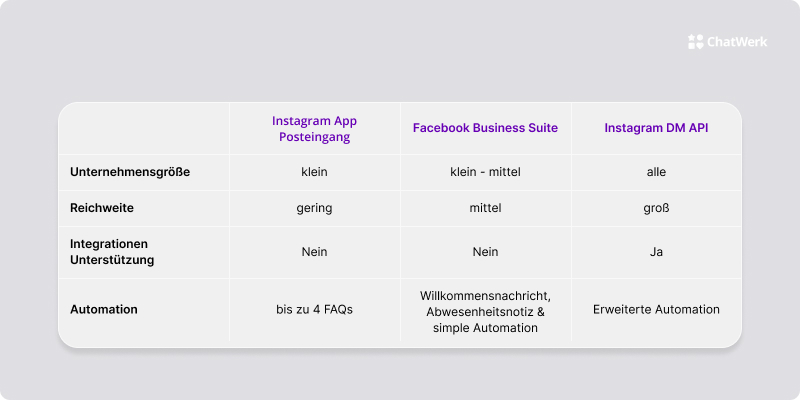
- Integration – Instagram Business Chat integrates seamlessly with CRM tools, allowing for easy management of customer relationships. In contrast, these features are missing in standard Instagram DMs.
- Customer Information – Instagram Business Chat offers valuable analytics and audience insights to help optimize marketing strategies. Direct messaging and increased data access are further advantages over standard Instagram DMs.
- Verification – Businesses can verify their accounts, which builds customer trust. This option is not available with standard Instagram DMs.
- Discoverability – Businesses can increase their visibility via the Explore tab and search results. In contrast, Instagram DMs remain private.
- Customer Support – With automated responses and FAQ features, Business Chat offers more efficient support than standard Instagram DMs.
6 Tips for Optimizing Instagram in Messenger Solutions for Customer Communication
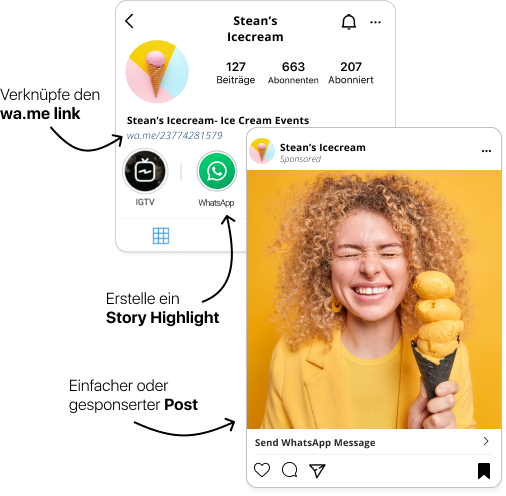
With Instagram messenger solutions, you can communicate effectively with your community, build customer loyalty, and improve your service. Instagram is ideal for sharing creative content and reaching a younger target audience. When used correctly, it can boost your company's growth and success. Here are a few tips to get the most out of it:
1. Personalization
Use the features of messenger solutions to send personalized messages to your contacts. By using a personal approach and tailored content, ChatWerk can significantly increase customer loyalty and create a positive customer experience.
2. Quick Responses to Instagram Direct Messages
Customers value fast and straightforward communication. Responding to inquiries promptly on social media platforms or sending proactive messages not only shows appreciation but also builds trust in your brand. Efficient, well-organized customer service that focuses on clear answers and authentic communication makes a noticeable difference for your customers.
3. Automation
Take advantage of chatbots and automated messages! They can answer frequently asked questions and handle customer inquiries efficiently. This not only saves resources but also provides excellent customer service.
4. Multichannel Communication
The variety of messenger solutions allows customers to communicate with ChatWerk via different channels such as WhatsApp, Facebook Messenger, or Telegram. This flexibility allows us to reach customers exactly where they prefer to communicate, which increases customer satisfaction and engagement. Furthermore, all important channels are bundled into a single message inbox to make communication more efficient.
5. Integration with CRM Systems
By integrating your messenger solutions with your Customer Relationship Management (CRM) system, such as HubSpot, you can capture and analyze important customer data. These valuable insights into customer behavior allow your company to adapt its communication strategy accordingly and make it more targeted. Such an integration with ChatWerk can also help improve your company's customer service and create personalized marketing campaigns.
6. Data Privacy
Protecting customer data should always be a top priority, especially when using messenger solutions with business accounts. Therefore, ensure that you comply with applicable data protection regulations and provide transparent information about how data is used in your conversations.
Automatic replies for Instagram DMs: Automated communication with AI
They make it possible to automate many routine customer service tasks, saving valuable time and resources.
In comparison, chatbots can answer frequently asked questions instantly, whereas emails require a longer processing time. Imagine a customer asking about your opening hours or details about a specific product – the chatbot can provide this information immediately without any human intervention.
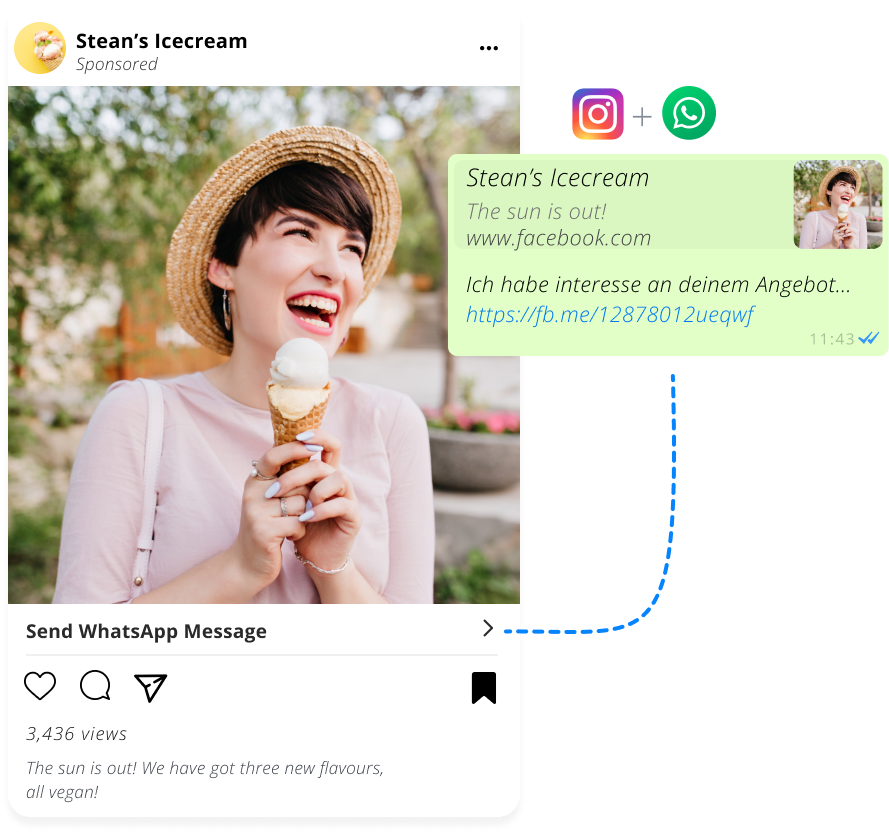
Automated communication in your Instagram Direct Messages
AI-driven chatbots can create personalized experiences in Instagram DMs by recognizing customer preferences and providing relevant recommendations, such as product suggestions based on previous purchases.
Best of all, these chatbots are available 24/7. They answer questions and provide support even outside of business hours, ensuring customers get the help they need whenever they need it.
Tools like ChatWerk help you seamlessly integrate chatbots into Instagram DMs to provide efficient customer service. This not only improves sales but also increases customer satisfaction.
AI and chatbots can therefore optimize customer service, strengthen customer loyalty, and boost your company's success. An exciting technology that is well worth it!
Instagram DM for business: Ideas for use cases
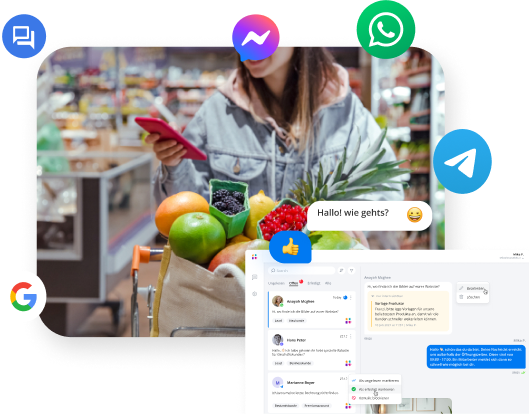
With Instagram Business Messenger newsletters, companies can communicate directly with their target audience and strengthen customer loyalty. This allows for targeted, personalized messages to be sent, while real-time responses facilitate interaction.
Messenger newsletters on Instagram increase reach and distribute content effectively. High user activity enables quick customer feedback, which improves communication and satisfaction. Furthermore, messenger newsletters are a cost-effective marketing strategy.
Get inspired by success stories that can also be implemented on Instagram:
EDEKAandREWE: These grocery chains successfully use messenger newsletters and the WhatsApp Business API to inform customers about product availability, opening hours, and promotions. Similar approaches can be implemented with Instagram chats, for example, through chatbots that answer common customer questions.
Hertel Möbel and Reitsport Schockemöhle: This company uses WhatsApp newsletters to inform customers about new products and offers. Companies can take a similar approach on Instagram to keep followers up to date on news and deals.
More followers, better customer loyalty, and optimized customer service

With Instagram Direct, you can create a connected platform to talk to your customers and strengthen customer relationships. This chat is the perfect platform for connecting marketing and sales departments to share content and engage in conversation. By following these actionable tips on how to use messenger solutions, create engaging content, automate communication processes, and boost user retention, your company can benefit from the Instagram Business Chat platform to gain more followers and achieve better results.
Take action, implement these solutions, and see for yourself what it means to have disciplined customer engagement. Start creating an effective strategy today for Marketing, sales, content, and Automation for the best customer service.
Using Instagram Direct on desktop
Since April 2020, Instagram Direct Messages can also be used on desktop PCs via a browser. This feature expands the capabilities of the desktop version of Instagram, which was previously limited primarily to viewing your own feed. With the introduction of Instagram Direct Message on desktop, users can now send private messages to other users, making the platform much more versatile. This expansion allows users to communicate efficiently from their desktop PC and enhances their overall Instagram experience.
How to use Instagram Direct Messages in your browser (desktop)
Instagram Direct Messages allow you to send private messages directly to other users. This feature is now also available in your desktop browser, giving you even more flexibility. Here is how you can use Instagram Direct Messages in your browser:
- Open your preferred browser and go to the Instagram website.
- Log in with your credentials.
- Click the paper airplane icon in the top right corner to access your direct messages.
From here, you can write new messages, reply to existing ones, and manage all your conversations.
This feature makes it easier for you to send and receive private messages on your desktop computer. Whether for personal or professional use, the integration of Instagram Direct Messages into the desktop version enables fast and straightforward communication.
Lerne noch mehr über Kundenkommunikation
Weitere spannende Blogartikel rund um Marketing, Automatisierung und digitalen Kundenservice.