
Adding WhatsApp to your website or WordPress: Our beginner tips
Is your company constantly looking for new ways to interact with your customers and provide outstanding customer service? One popular method that is gaining more and more importance is integrating WhatsApp into your website. In this article, we will look at how you can add WhatsApp to your website and the benefits this integration brings.
Why add WhatsApp to your website?
- Direct communication: WhatsApp is one of the most widely used messaging platforms, with over 2 billion active users worldwide. By adding WhatsApp to your website, you enable your customers to communicate directly and easily with your company.
- Fast response times: With WhatsApp, you can provide your customers with quick answers to their inquiries. Since most people always have their smartphones with them and receive notifications, it is easier to respond to WhatsApp messages than to wait for emails or phone calls.
- Convenience for customers: Many people prefer to communicate with companies via messaging apps because it is more convenient and time-saving. By integrating WhatsApp into your website, you offer your customers a familiar platform where they can ask questions, place orders, or receive support.
WhatsApp is the most popular messenger with over three billion users worldwide. If you are focusing on messenger marketing or conversational commerce, you can't ignore WhatsApp!
Setting it up and using it is very simple. To ensure your (potential) customers quickly land in your WhatsApp chat, you should promote and integrate your messenger as effectively as possible across all your social media channels and on your website.
Integrating WhatsApp into a homepage is not rocket science. We will show you various ways and methods.
Option No. 1 | Links
The easiest solution is a simple link. When customers click this link, they are redirected to your WhatsApp chat.
The best way to create a so-called wa.me link is by using a free WhatsApp click-to-chat generator.
Option 2 | QR codes
Most wa.me generators allow you to create a QR code in addition to a specific link. These pixel images are perfect for use on websites and especially for offline materials like posters and flyers.
Option 3 | Button
Draw attention to your WhatsApp chat with a colorful icon. For example, use the WhatsApp logo on your homepage and link it to your wa.me link.
Option 4 | Widget
Do you want the icon to remain fixed in one spot on the screen, regardless of how far visitors scroll down your website? Then you need a widget.
Widgets are mini-applications. You can usually get them by installing special plugins for the CMS (Content Management System) that powers your website.
Integrating WhatsApp or live chat into your website: 4 free WordPress plugins to start the conversation
WordPress is the most widely used CMS in the world. It is used by solo entrepreneurs, start-ups, medium-sized businesses, and large corporations alike. Because of its flexibility, it can be used to build company websites, blogs, and online shops.
There are currently well over 50,000 plugins for WordPress, many of which are completely free. This vast selection also includes numerous extensions that make it easy to integrate WhatsApp into your website.
We recommend the following five plugins:
1) ChatWerk Free Webchat Plugin
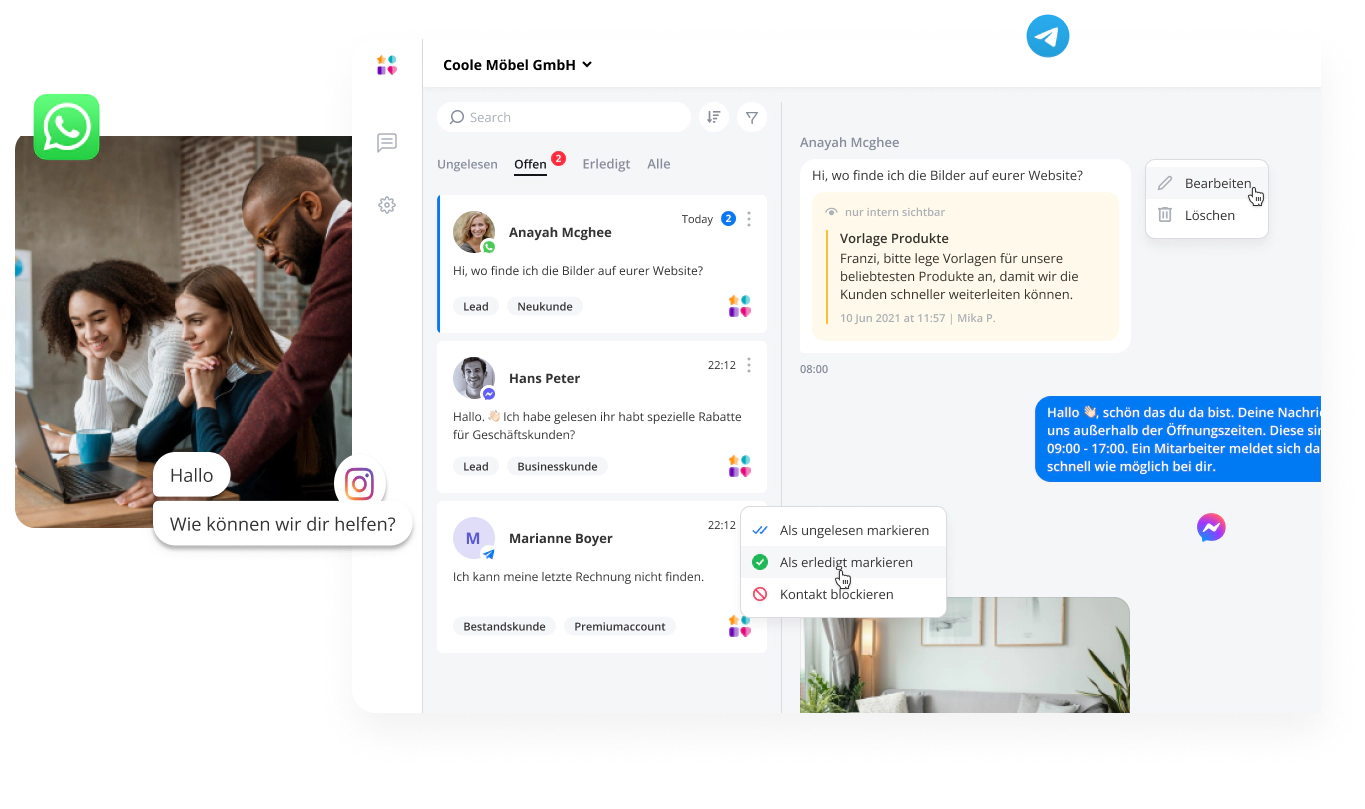
🔥NEW OFFER – Get webchat and choose two messengers for free
We offer an easy-to-install web chat plugin for your website. All you need to do is:
- Create a free account and follow the steps
- Set up your website chat feature using the header or footer plugin and Google Tag Manager
- Once the integration is complete, all you need are customers!
2) Simple Webchat
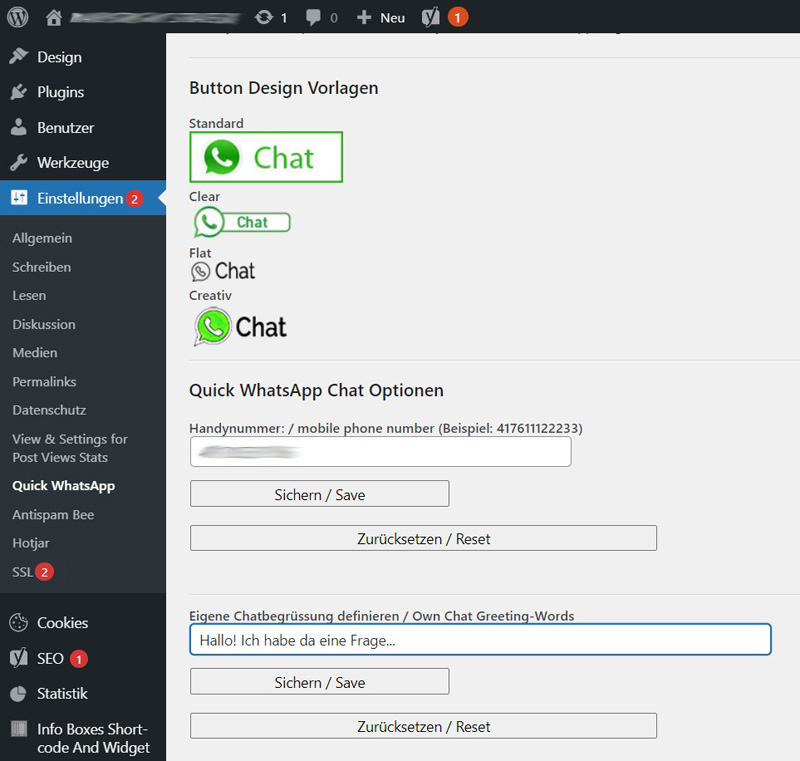
Simple Webchat was formerly known as Quick WhatsApp. Both names live up to their promise.
This German WordPress extension is designed to be very simple and is GDPR-compliant. There are several button designs to choose from. You can integrate it into a company website, blog, or WooCommerce shop in a matter of minutes.
3) WP Chat App
Do you love having plenty of customization options? Then you will surely like this plugin. Its settings are spread across several subpages, which can make it seem a bit cumbersome to use at first glance.
However, the English WP Chat App makes up for it with some great features. For example, you can specify exactly which days and times the WhatsApp website integration should be visible. It also appears as a floating widget on your site.
4) Click-to-Chat
This extension is almost as easy to use as Simple Webchat, but offers more design templates. With Click to Chat you can use simple links, beautifully designed icons, wide chat buttons, or custom images to "promote" your WhatsApp chat.
In addition, you can integrate Google Analytics and Google Ads conversions, among other things, to track click-through rates.
What are the benefits of WhatsApp integration?
- Improved customer communicationIntegrating WhatsApp into your website ensures direct and seamless communication with your customers. You can answer questions, provide product information, take orders, and offer support.
- Higher customer satisfactionFast response times and the convenience of communicating via WhatsApp help increase customer satisfaction. Customers feel well looked after because
Conclusion
As you can see, it is very easy to link to your WhatsApp messenger from your homepage or online shop. If you use WordPress plugins, you even have the option to customize the look of the WhatsApp button to your liking. And small but clever features, such as automatically enabling or disabling the chat function at certain times of the day, are the icing on the cake. With the free WhatsApp Link Generator you can create QR codes and wa.me links. This allows your customers to get into your WhatsApp chat quickly and directly without having to save your number. This way, you can communicate professionally and securely via WhatsApp Business or an inbox like ChatWerk without any detours.
Important: If you use WhatsApp in a business context, you should under no circumstances use the standard version of the messenger, the regular WhatsApp – it is not GDPR-compliant! You can only meet the EU's strict data protection requirements with the WhatsApp Business API.
Lerne noch mehr über Kundenkommunikation
Weitere spannende Blogartikel rund um Marketing, Automatisierung und digitalen Kundenservice.


