
The rise of messaging apps has opened up a new way for companies to interact with customers – and at the forefront is the ubiquitous WhatsApp. But how can businesses use this platform effectively?
This is where the WhatsApp Business account comes in, also known as a business version of WhatsApp. This tool was developed to optimize customer service and communication for businesses of all sizes.
Key Takeaways
- Using a WhatsApp business account boosts customer engagement through real-time communication, automated messaging, and multimedia support, which increases the efficiency of customer care.
- With features like scalability, professional tools, API integration, and GDPR compliance, the platform offers a powerful communication tool.
- Businesses can use it to hold real-time conversations, generate leads, and strengthen their credibility with customers.
What is a WhatsApp business account?

A WhatsApp business account is an umbrella term for accounts in the WhatsApp Business App and the WhatsApp Business API. These specialized accounts allow companies to conduct professional communication with customers and stakeholders. Whether you are a small business or a large enterprise, a WhatsApp business account can be tailored to your needs.
The WhatsApp Business App is particularly suitable for smaller businesses looking for a simple and effective way to connect with their customers. This WhatsApp app offers numerous features, such as:
- adding business information
- verifying your phone number
- setting up a catalog to showcase products and services.
On the other hand, the WhatsApp Business API WhatsApp Business API is intended for larger companies that need a more comprehensive solution to reach and support their customers.
Another notable feature of a WhatsApp business account is the ability to separate professional and private communication. This is achieved through specific labels in the chat that indicate the business account, thereby creating clarity and professionalism in communication. These differences can be clearly distinguished.
What are the benefits of a WhatsApp business account?
A WhatsApp business account is equally beneficial for small businesses, startups, and large corporations alike. Here are some of the advantages:
- Reach a large target audience: A WhatsApp business account is an excellent way to engage with a broad and diverse customer base. With over 2 billion users worldwide, WhatsApp is the ideal platform to achieve this goal.
- Secure customer contact: WhatsApp Business (preferably using the WhatsApp Business API version) enables GDPR-compliant communication, which is particularly important for companies in the EU. This ensures effective communication while prioritizing data protection.
- Flexibility and accessibility: A business account can be used across multiple devices, making it easier to manage.
- Efficient automation: From automated responses to chatbots, WhatsApp Business can make customer service more efficient and user-friendly.
- Fast response times: Companies can use WhatsApp Business to respond to customer inquiries faster and thereby improve communication and customer satisfaction.
- Efficient customer communication: Predefined message templates allow for efficient management of customer communication. Companies can also include their email address in their profile to further enhance customer interaction.
- Separate professional and private life: With a WhatsApp business account, businesses can keep professional and private chats separate, helping them stay better organized.
How to create a WhatsApp business account?
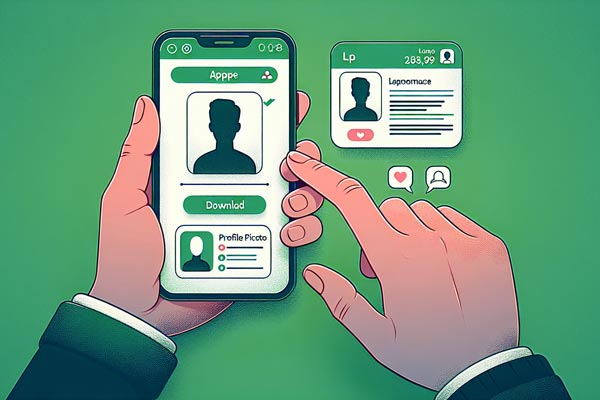
Setting up the WhatsApp Business app
Creating a WhatsApp business account in the WhatsApp Business app is a simple process, though it does require an Android device with a compatible operating system. To get started with the installation, here are some instructions to help you on your way. Installing the WhatsApp Business app is quick and easy. Follow these steps to get up and running in no time:
- Sign in to the Google Play Store.
- Search for ‘WhatsApp Business’.
- Tap ‘Install’.
- Download the Business app, an effective tool for businesses that enables real-time communication with customers.
- Set up your profile – add necessary information such as name, category, description, etc., along with a suitable profile picture. This serves as your company's identity on WhatsApp.
- Use additional features offered by the application, such as order notifications or quick replies from customer service – all of which help you improve communication quality and customer service.
After installation, businesses should create their profile in the WhatsApp Business app. This includes company name, industry, images/logos, address, description, business hours, and other details. This information provides guidance to customers and builds trust.
Follow these instructions to quickly benefit from the advantages of the WhatsApp Business app by setting up your official account. In our other post, you can learn in detail how todownload and use the WhatsApp Business app or the WhatsApp Business desktop version .
Setting up the WhatsApp Business Platform
The WhatsApp Business Platform provides companies with tools to reach customers efficiently, manage messages, and optimize conversations. With scalable software, multimedia support, automated processes, chatbots, and analytics, customer communication is simplified.
The WhatsApp Business Platform is set up via a third-party provider, also known as a WhatsApp Business Solution Provider (BSP). First, choose a suitable business solution that meets your requirements. You should consider factors such as price, monthly usage fees, and additional setup costs.
The Features of the Business API are beneficial for companies of all sizes, from small businesses to large enterprises in various industries such as supermarkets,Pharmacies, marketing agencies, or E-commerce shops etc. This also makes them extremely beneficial for SMEs.
Do’s and don’ts for a WhatsApp business account
To improve your business processes with this powerful tool, it is important to understand the do’s and don’ts. By following these rules, you can effectively leverage the power of a WhatsApp business account to improve customer support, answer all questions, and increase sales.
Remember, the key to success is finding a balance between engaging your audience and respecting their preferences and privacy.
Do’s ✅
1. Optimize your profile: Make sure your business profile contains all the important information: company name, description, address, email, and website. An optimized profile builds credibility and provides customers with valuable information at a glance.
2. Use digital catalogs: Showcase products or services directly via digital catalogs on WhatsApp Business. This improves the shopping experience and makes it easier for customers to browse and make inquiries.
3. Offer prompt customer support: Use the WhatsApp app to offer fast and efficient customer support. The immediacy of messaging allows for real-time problem solving and increases customer satisfaction.
4. Personalize communication: Tailor your messages to the individual customer. Personalization can significantly increase engagement and foster a stronger connection between your brand and your audience.
5. Implement an opt-in and opt-out strategy: Always ensure that your customers have explicitly agreed to receive messages from you and understand how they can opt out if they wish. Respecting privacy is paramount.
Don’ts ❌
1. Avoid spamming: Sending too many messages to customers can lead to frustration and may cause them to block your business. Be mindful of the frequency of your communication.
2. Never leave your profile incomplete: An incomplete profile can deter potential customers and undermine your company's credibility. Ensure that all required information is present and accurate.
3. Do not use your personal number: Keep your personal and business communication separate. Using your personal number for business purposes can lead to confusion and a lack of professionalism.
4. Avoid delays in responding: Customers expect quick responses, especially on a platform like WhatsApp. Delayed responses can negatively impact your brand's reputation and customer satisfaction.
5. Do not deceive or mislead users: Honesty is the foundation of a strong customer-business relationship. Deceiving users with false information or misleading promotions can irreparably damage your brand's reputation.

How to switch to a WhatsApp Business account?
Switching to a WhatsApp Business account requires some preparation to ensure a smooth transition. This includes creating a backup of your current WhatsApp data and verifying that your device and operating system are compatible with the WhatsApp Business app.
These steps are crucial to avoid data loss and ensure that the app functions properly.
Create a backup
Backing up your WhatsApp data is essential to prevent data loss. First, ensure that there is enough storage space available in the cloud before creating a backup on Google Drive or iCloud.
For Android users, open WhatsApp and go to Settings > Chats > Chat backup to create a backup on Google Drive. iPhone users can do this under Settings > Chats > Chat backup.
Once the backup has been created, you can restore it when setting up the WhatsApp Business app. This ensures that no important chat history or data is lost. Simply follow the instructions for restoring your chat history during the initial setup of the Business app.
Check compatibility
Before proceeding with the installation of the WhatsApp Business app, it is important to check your device's compatibility. The app requires specific operating system versions, which should be verified before installation to ensure smooth operation.
This check ensures that the app functions properly and that no interruptions occur. This way, you can be sure that your customer communication remains smooth and efficient while maintaining security.
How much does a WhatsApp business account cost?

The benefits of a centrally managed platform like a WhatsApp business account can certainly justify the costs. Companies can reach a global audience, provide real-time customer service, and build stronger customer relationships.
Furthermore, the potential for a positive return on investment (ROI) can be significant, especially when considering the efficiency and convenience such a platform offers. When used optimally, chat can become a highly effective communication method.
To make the most of a WhatsApp business account, it is essential to understand the associated costs.
Depending on usage and requirements, companies can choose a fee package that suits their business activities. Up to 1,000 user-initiated conversations per month are free. Conversations initiated by the company outside of this 24-hour window incur fees, which vary by category, such as marketing or service.
For larger companies that need more than just messaging, ChatWerk offers a comprehensive solution with their WhatsApp package starting at €69 per month, which also includes API usage rights!
Data protection and GDPR compliance for WhatsApp business accounts

Data protection is a key issue when using WhatsApp Business, especially regarding GDPR compliance. A WhatsApp business account can be used for GDPR-compliant customer contact, which is crucial for many companies. The platform meets the requirements of the General Data Protection Regulation (GDPR) and is therefore better suited for professional business applications.
However, there are also some data protection issues and drawbacks to consider:
- Automatic contact synchronization can be problematic from a data protection perspective, as it occurs without user consent.
- Metadata, such as usage frequency, is transmitted unencrypted and can be used by WhatsApp for profiling purposes.
- Companies must ensure they have a privacy policy that covers the use of WhatsApp.
For legally compliant use of WhatsApp in a business context, a data processing agreement is required. Full use of the WhatsApp Business API also requires business verification. These measures ensure that the use of the WhatsApp Business Platform meets German data protection requirements and gives companies better control over personal data.
Examples of successful WhatsApp use in business

Newsletter example from Reitsport Schockemöhle.
To demonstrate the benefits of the WhatsApp Business Solution for companies, let's look at real-world scenarios. For example, Nuts & Golden uses this communication channel to receive 70% of its customer inquiries. This highlights the potential of WhatsApp in managing customer demand and service.
Reitsport Schockemöhle uses it optimally in their weekly newsletters, achieving a remarkable open rate between 70 and 90%. This shows how WhatsApp can be used not only as a support system but also as a powerful marketing tool that reaches a larger target audience and increases customer loyalty.
Tips for effectively using a WhatsApp business account

Proactive customer service
Marketing and support via WhatsApp business account
Proactive customer service is one of the most effective strategies for using a WhatsApp business account. You can send various types of messages, including transactional messages such as order confirmations.
Furthermore, you can communicate with customers using text, web links, emojis, images, videos, and attachments during the service window. This enables comprehensive and engaging interaction with customers. NoBroker increases customer engagement rates by sharing photos of properties via WhatsApp, which leads to better customer retention.
Multimedia support
Multimedia support is another key to effectively using WhatsApp Business. You can use videos and images to convey complex information more clearly and improve customer interaction. For example, visual guides or product presentations can help customers better understand the services offered.
WhatsApp also allows for the sending of voice messages, which makes it easier for customers to explain issues. This is particularly useful in situations where written explanations are insufficient and a personal touch is required.
By using multimedia content, you can build a stronger and more personal relationship with your customers.
Click-to-WhatsApp ads
Click-to-WhatsApp ads are an excellent way to improve the effectiveness of customer communication. These ads allow you to communicate directly with potential customers and increase interactions.
By integrating Click-to-WhatsApp ads into your marketing strategies, you can maximize access to the WhatsApp Business platform and reach potential customers directly. This leads to higher customer acquisition and stronger brand loyalty.
Set up automated messages
Automated messages are an excellent tool for greeting customers and letting them know about your availability. These messages can be set to send automatically when customers contact you for the first time or when you are currently unavailable. This keeps communication and email flow going even when you are away.
These automated messages help ensure your customers feel well-supported and kept in the loop. Of course, you can take over the conversation as soon as you are available again. You are always free to jump in personally at any time.
Use quick replies
Quick replies are pre-written templates that allow you to respond rapidly to common inquiries. You can create message templates and access existing ones, which significantly increases the efficiency of your customer communication. For example, you can set up quick replies for frequently asked questions so that you only need to select them to provide an answer.
This saves time and ensures your customers always receive a quick response. By using quick replies, you can automate customer communication while still maintaining a personal touch, leading to increased customer satisfaction.
Create catalogs and product lists
With theIn the WhatsApp Business app, you can create product catalogs to offer your products directly within the chat. This is particularly useful for giving customers a quick overview of your products and services and boosting sales. Customers can view products right in the chat and request more information if they are interested.
In your business profile, you can also add opening hours, social media profiles, website links, and status updates for promotions. This information helps ensure customers see all important details at a glance and can better inform themselves about what you offer.
Lerne noch mehr über Kundenkommunikation
Weitere spannende Blogartikel rund um Marketing, Automatisierung und digitalen Kundenservice.


